Japan bare metal · Dedicated servers

Dedicated AMD servers
and complete DGX Spark systems,
one customer per machine

Located in Tokyo, Japan. The two cards on the right show the EPYC 7543P drive bays and DGX Spark unified memory in turn, with links to each product’s specifications.

No setup fee | No contract | Billed in USD

Drive bays · Direct-attached NVMeDedicated · Tokyo
BAY 01TBNVMe · Direct-attached · Active
BAY 11TBNVMe · Direct-attached · Active
BAY 2Add 2TBOptional · Direct-attached
BAY 3Add 2TBOptional · Direct-attached
2 × 1TB installed · 2TB available · No hardware RAIDUp to +2 × 2TB
AMD EPYC 7543P 32C / 64T2.8 / 3.7 GHz256MB L3Dedicated

Slide 1 / 2 · AMD dedicated server

Dedicated server with direct-attached NVMe

Shared cloud storage can make IO unpredictable—and query performance can suffer. With two drives directly attached to this server, storage performance varies only with this machine’s workload.

  • 2 × 1TB NVMe drives, each directly attached with no shared storage
  • Dedicated AMD EPYC 7543P, 32 cores / 64 threads
  • 250 Mbps included bandwidth, unlimited traffic
Unified memory · GB10DGX SPARK · Tokyo
128GB LPDDR5x unified memoryShared by CPU and GPU
CPU · 20 Arm coresGPU · Blackwell
NVMe 0 · Fixed4TB
Network · Fixed1 Gbps unlimited traffic · 1 IPv4
NVIDIA GB10 Grace BlackwellARM64NVIDIA DGX OS

Slide 2 / 2 · Complete DGX Spark system

Complete DGX Spark system

A complete system for local LLM inference and fine-tuning experiments, ready to use with a preinstalled software stack. The trade-off: it runs ARM64 and NVIDIA DGX OS only.

  • NVIDIA GB10 Grace Blackwell Superchip
  • 128GB LPDDR5x unified memory shared by CPU and GPU
  • 4TB NVMe, fixed configuration with no add-ons
Two product lines

Dedicated storage servers and AI development systems, each built for a different workload

Choose AMD for long-term storage, disk imaging, and backups; choose DGX Spark for model inference and CUDA experiments. Each has its own pricing and product page.

EPYC · Physical

AMD dedicated server

A good fit for ZFS mirrors, file storage, and virtualization hosts. Monthly rental may not make sense for tests that last only a few days.

CPU
AMD EPYC 7543P · 32C/64T
Memory
128GB / 256GB DDR4-3200 ECC, 2 options
Storage
2 × 1TB direct-attached NVMe, no hardware RAID
Bandwidth
250 Mbps, unlimited traffic
IPv4
1 dedicated address
OS
14 free OS options; Windows Server licensed monthly
View AMD server plans ›
GB10 · ARM64

NVIDIA DGX Spark system

For local LLM inference, fine-tuning experiments, and CUDA development. Billed per day; x86 programs and Windows cannot run on this machine.

Chip
NVIDIA GB10 Grace Blackwell
Memory
128GB LPDDR5x unified memory
Storage
4TB NVMe
Bandwidth
1 Gbps, unlimited traffic
OS
NVIDIA DGX OS
Architecture
ARM64
View DGX Spark ›
01 · Storage

Two directly connected 1TB drives: 2TB usable, not 1TB after RAID-1

The server ships without a hardware RAID array, so the operating system sees each NVMe drive independently. The administrator chooses whether to mirror, stripe, or mount them separately. Add 0 to 2 more 2TB NVMe drives, also directly attached.

2 × 1TBIncluded · 2TB usable · + 0–2 × 2TB NVMe optional
1TB
BAY 0
1TB
BAY 1
+2TB
BAY 2
+2TB
BAY 3
Good fit

Admins managing their own ZFS mirror or software RAID

Manage mirroring, snapshots, and verification policies directly, and adapt drive usage as workloads change. Redundancy must be configured and checked manually.

Not a fit

Workloads that need provider-managed redundancy

This server has no hardware RAID, so a failed drive will not be replaced automatically. Customers are responsible for redundancy and backups; the data center handles drive replacement.

02 · Compute

A complete AMD EPYC 7543P server, dedicated to one customer

Compression, verification, and deduplication can use all 64 threads without competing with neighboring tenants. The trade-off is that the full server is billed monthly, even during idle periods.

Socket
Single-socket AMD EPYC 7543P
Cores
32 cores / 64 threads
Clock speed
2.8GHz base / 3.7GHz boost
Cache
256MB L3
Memory
DDR4-3200 ECC · 128GB or 256GB
32C / 64T

Single-socket cores and threads; CPU is not shared

3.7GHz

Boost clock; 2.8GHz base clock

256MB

L3 cache keeps frequently used verification and deduplication data on-chip

03 · Billing terms

Four billing terms, no setup fee and no contract

Choose monthly billing to test a drive layout, or annual billing for an established backup pool. The monthly rate stays the same; billing terms differ only in the number of months paid upfront.

Monthly1month
Quarterly3months
Semiannual6months
Annual12months

Amount due = monthly total × months · No term discountsService stops if not renewed

Shared · Dedicated · Self-hosted

Three approaches compared: shared VPS, dedicated server, or your own rack

Each option includes both a good-fit and a poor-fit use case. The right choice depends on data volume, IO needs, and how much hardware work is in scope.

Comparison criteria Shared VPSSHARED Dedicated serverONUCLOUD · EPYC 7543P Own rackCOLOCATION
Isolation Multiple tenants share the host’s CPU and drives One customer gets the full EPYC 7543P and both NVMe drives Hardware is owned; rack space and power are contracted separately
Compute and IO Neighboring workloads can affect performance, especially backup IO Direct-attached NVMe; IO varies only with this server’s workload Depends on self-purchased hardware and network setup
Provisioning Provision from a panel and adjust specifications as needed Choose options on the configuration page; get the IP and credentials in the console Arrange purchasing, installation, and cabling yourself
Starting cost Low; start with a few cores From $472/month, no setup fee or contract Upfront hardware cost plus ongoing rack fees
Good fit Good fitShort tests with a few cores; scale by the hour Good fitZFS mirrors, backup pools, Proxmox VE hosts Good fitTeams that need to keep hardware in their own inventory
Not a fit Not a fitLong-term, high-capacity backups and consistent IO Not a fitWorkloads lasting only a few days or needing hourly scaling Not a fitTeams that do not want to handle purchasing, drive swaps, and installation
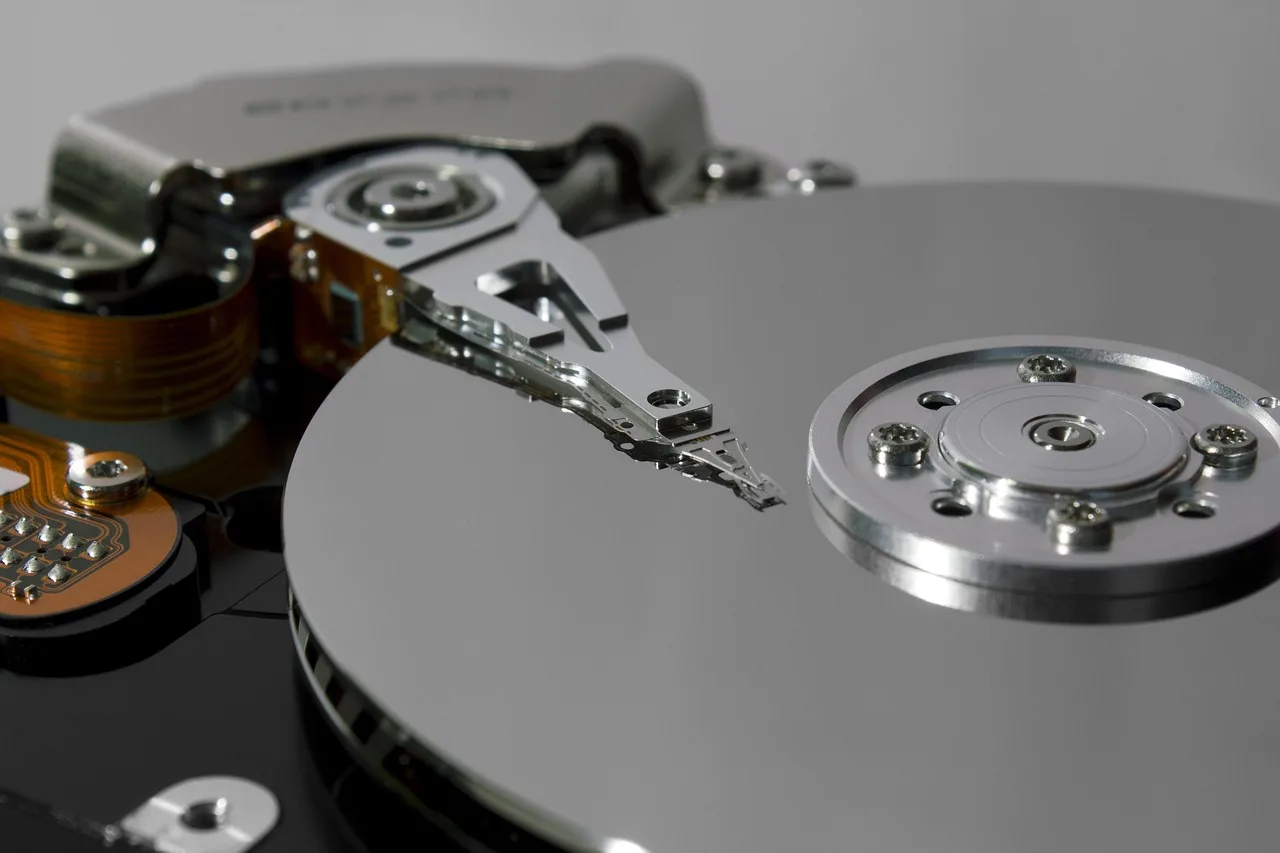
Close-up of an open hard drive showing its platter and read/write head, illustrating three drive layout options
Plan your drive layout

Choose a layout for file storage, ZFS mirroring, or off-site backups

Decide whether the data needs mirroring, then choose how many drives to add. More drives mean more capacity and a higher monthly total.

2TB2 × 1TB included

File storage

Mount the two 1TB drives separately or combine them into one pool for shared directories and frequently used data. Without mirroring, restore from an off-site copy if a drive fails.

4TBAdd 1 × 2TB

ZFS mirror

Mirror the two 1TB drives for the system and frequently used data, then add a 2TB drive for local snapshots. The mirrored pair provides 1TB usable capacity and protection against a single-drive failure.

6TBAdd 2 × 2TB

Off-site backups

Use both 2TB add-on drives to create a 2TB mirrored backup pool for remote copies. This gives you the most capacity, with a higher monthly total for the two added drives.

Figures show raw capacity; mirroring halves usable capacity. Each 2TB add-on drive is directly attached, not part of a hardware RAID array.

Bandwidth and traffic

250 Mbps included, with 1 Gbps or 2 Gbps options; all three tiers include unlimited traffic

There are no extra traffic fees for transferring terabytes of off-site backups each month. Pricing is based on port speed; see the AMD server plans for upgrade costs and use cases.

See bandwidth options ›
250 MbpsIncluded · Unlimited traffic
1 GbpsOptional · Unlimited traffic
2 GbpsOptional · Unlimited traffic
DGX Spark · GB10

DGX Spark system for local inference, fine-tuning, and CUDA development

The complete system is dedicated to one customer and comes with CUDA and NVIDIA AI software preinstalled. Its fixed configuration is ready for development, but memory and storage cannot be upgraded.

Chip
NVIDIA GB10 Grace Blackwell
CPU
20 Arm cores
Memory
128GB LPDDR5x unified memory
Storage
4TB NVMe
Network
1 Gbps unlimited traffic · 1 IPv4
$15/dayAmount due = days × daily rate · No discounts · No setup fee
ARM64

Native ARM software and CUDA applications are ready to use; x86 programs and Windows cannot run.

NVIDIA DGX OS

The software stack is ready to use. NVIDIA DGX OS is the only available OS; other distributions cannot be installed.

See full DGX Spark specifications ›
Bundles of fiber-optic and network cables connected to equipment ports in a data center
1 Gbps, unlimited traffic · Download model weights separately
Pricing and ordering

Where to check prices and place an order

The two product lines are priced separately. Each pricing page covers its options and calculations. Prices are in USD; available payment methods are listed on the configuration page.

AMD EPYC 7543P

Two monthly plans and add-ons on the AMD page

Compare monthly pricing for 128GB and 256GB configurations, 2TB drive upgrades, bandwidth options, additional IPv4 addresses, and Windows Server licenses. Choose a plan and order from the configuration page.

AMD plansConfigureCredentials in console
NVIDIA DGX Spark

Daily pricing and specifications on the DGX page

The DGX page lists the fixed configuration, $15/day rate, and model-size guidance. Confirm ARM64 compatibility, NVIDIA DGX OS as the only available OS, and data deletion at the end of the term before selecting a rental duration on the DGX order page.

DGX plansDGX orderSSH credentials in console
AlmaLinuxDebianUbuntu ServerFreeBSDProxmox VEWindows ServerNVIDIA DGX OS

14 free OS options and monthly Windows Server licensing are available for AMD dedicated servers. Use SSH with Linux and RDP with Windows; NVIDIA DGX OS comes only with the complete DGX Spark system